Assets
An asset is a host or a container with an inventory. The Assets page lists every one that is in your scope, with the time it last reported.
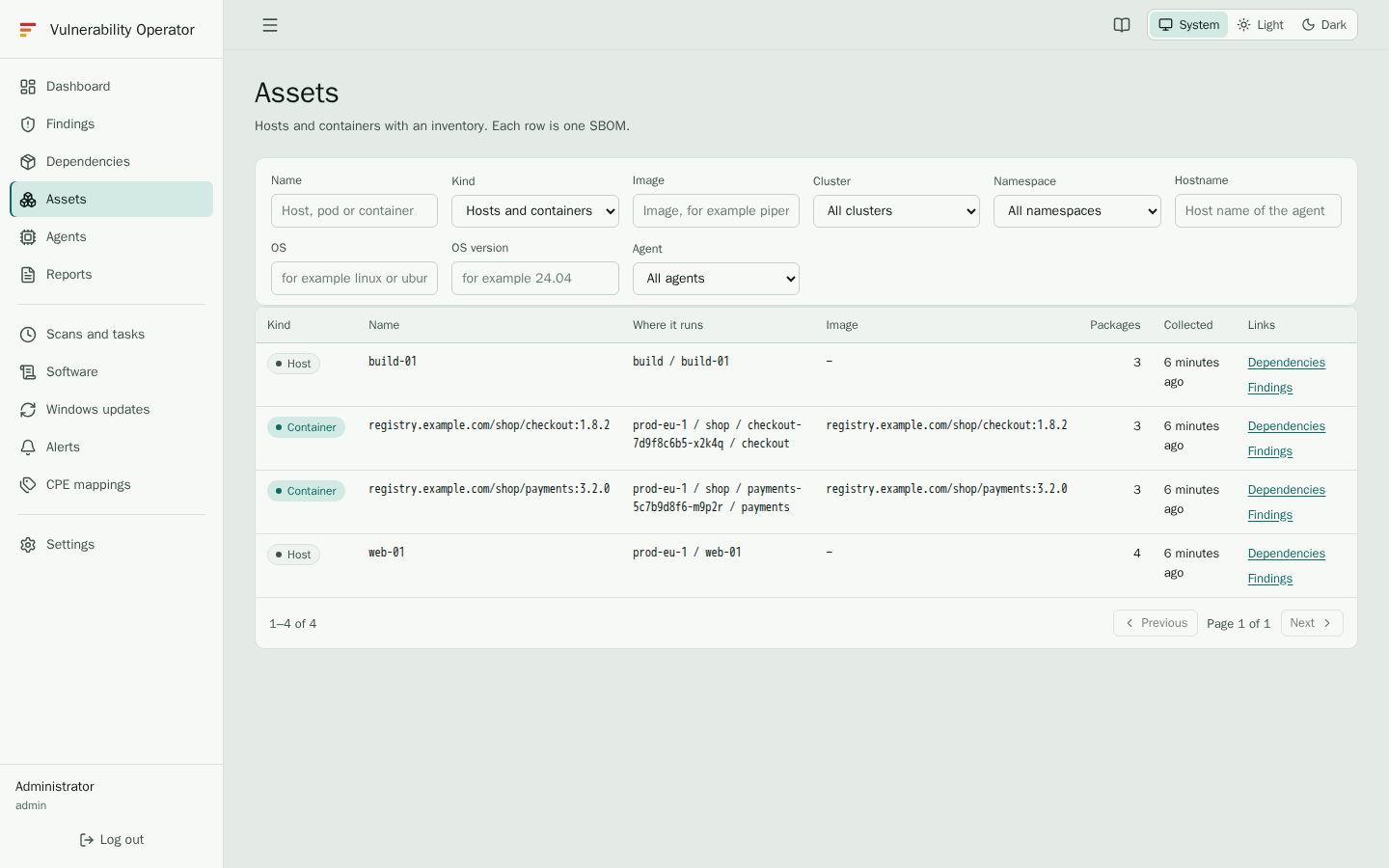
Kinds of asset
- Hosts are whole machines: Linux, Windows and macOS hosts, and the nodes of a Kubernetes cluster that run no containers of their own.
- Containers are container images, reported by the Kubernetes agent. An image that runs in several containers, on several nodes or in several namespaces is one asset, so it is listed once. The Where it runs column names each place.
Use Kind to show one of them, or both.
Columns
| Column | Shows |
|---|---|
| Kind | Host or container. |
| Name | The host name, or the image name. |
| Where it runs | For containers, the cluster, namespace, pod and container of each place, up to three and then a count. For hosts, the cluster and the node. |
| Image | For containers, the image it runs. |
| Collected | When the inventory was collected on the agent. |
| Links | Shortcuts to the Dependencies and the Findings of the asset. |
Scan pending
An asset marked Scan pending has a new inventory that the server has not scanned yet. Its packages are in the inventory, but its findings may still be those of the previous inventory. A scan normally starts shortly after an inventory arrives. If Scan pending stays for a long time, an administrator should check the Scans and tasks page.
Finding an asset
Use the filters to narrow the list:
- Name matches the host name or the image name.
- Image matches the image name, for example
checkout. - Cluster and Namespace narrow the assets to those that run in them.
- Hostname and OS and OS version narrow the hosts, for example
ubuntuand24.04. - Agent shows the assets one agent reports.
Using an asset
Select Dependencies on a row to see the packages of that asset, and Findings to see its vulnerabilities. Both keep the asset in the filter, so the view stays on that machine or container.