CPE mappings
Vulnerability data names products by vendor and product, in the form of a CPE (Common
Platform Enumeration). Packages from a Linux package manager or from a language ecosystem
already carry names the data understands. Programs installed on Windows, and some software
installed by hand, do not: their registry name, such as Notepad++ (64-bit x64), says nothing
about the vendor and product the data uses.
A CPE mapping connects such a program name to a vendor and product. The server then matches the program's findings the same way as any other package.
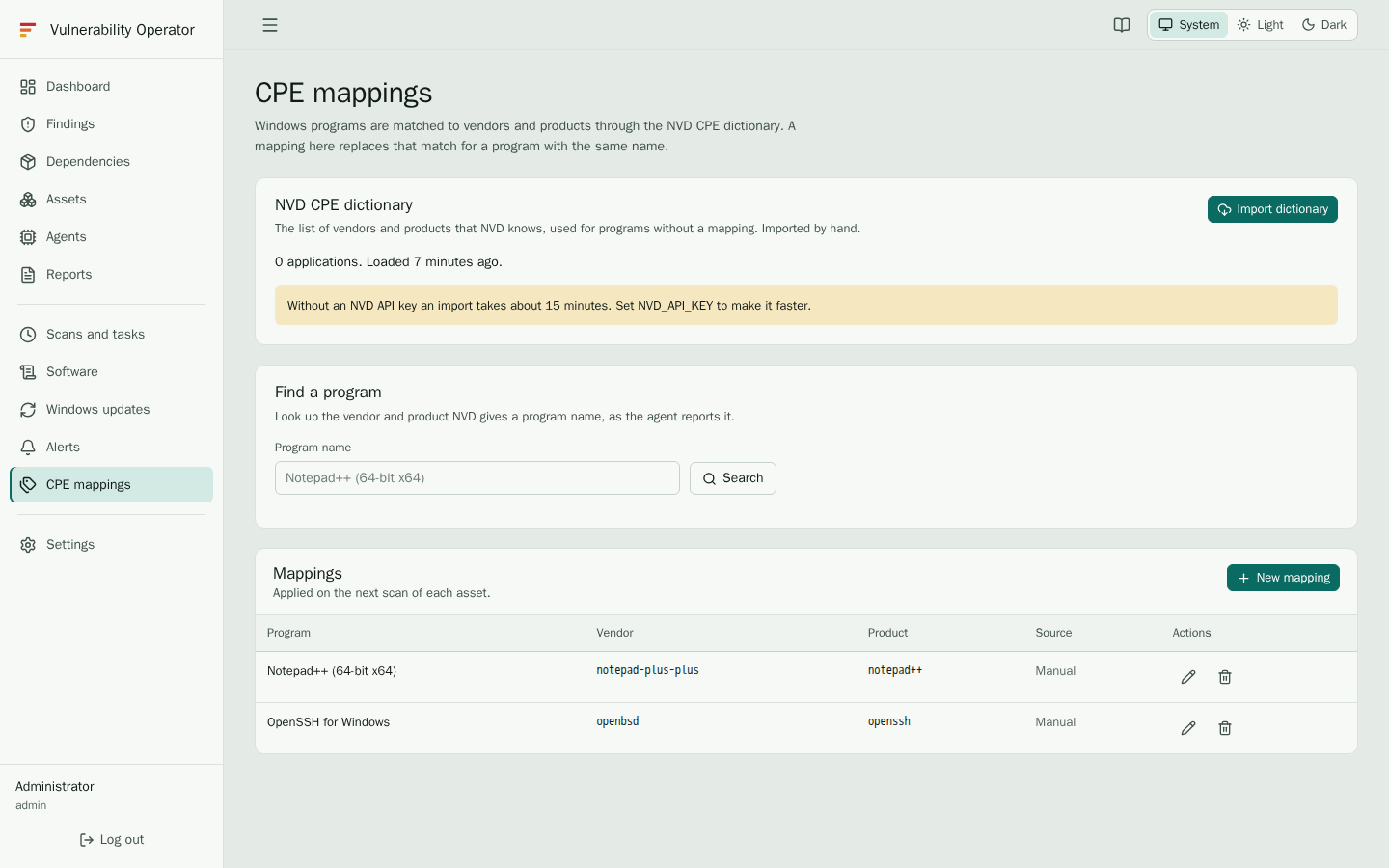
The NVD dictionary
The NVD dictionary is the list of vendors and products that the National Vulnerability Database knows. It is used for programs that have no mapping, to find the right vendor and product.
- The NVD CPE dictionary panel shows when the dictionary was last imported and whether an import is running.
- Import dictionary downloads and imports the current dictionary. It takes a while, and the
page updates when the import finishes. Requires
cpe.manage. - With an NVD API key (set on the Settings page) the import is much faster. Without one, NVD allows fewer requests per minute.
Find a program
Type the name of a program in Find a program, as it appears in the inventory, for example
Notepad++ (64-bit x64). The search lists matching vendors and products from the dictionary,
with their title and score. Select one to create a mapping from it.
Mappings
The Mappings table lists every mapping: the program name, its vendor and product, and its Source:
- Manual means an administrator entered or accepted the mapping.
- AI, review means an AI backend proposed it, and it is waiting for a person to check it.
Check each AI proposal before you rely on it. A wrong mapping hides the findings of the real product, or shows findings of another one. Edit a mapping when the proposal is wrong, and the source becomes manual.
Vendor and product may contain letters, digits, ., _, - and +. Use the names the NVD
dictionary uses, for example vendor notepad-plus-plus and product notepad++.
A new or changed mapping starts a full rescan, so the findings update at once.
Windows programs and AI
With an AI backend configured, enable Match Windows programs with AI on the Settings page (see AI summaries for the backend). Programs without a mapping are then proposed for mapping by the AI, and the proposals appear in the table as AI, review. Only the program names and the dictionary candidates are sent to the AI backend.
Without AI, map the programs by hand from the Find a program search. The Windows agent reports
its programs with a marker that tells the server they came from the registry, so they are resolved
through these mappings. Packages from winget are not resolved: their name is the winget id, such as
Git.Git, and the agent sends the CPE built from that id.
Java releases
An Oracle Java runtime or development kit on Windows needs no mapping. The server reads
its release from the program name, so Java(TM) Platform SE 8u202 becomes
cpe:2.3:a:oracle:jre:1.8.0_202. The update is part of the version, in the form that Java
versions compare by. A release is matched only
against the CVEs for that release. Other Java distributions need a mapping.