Working with alerts
The list
The alert list refreshes itself every few seconds. For each alert it shows the priority, the status, how long it has been open, how often it was refreshed by the source and when the last refresh came in, and the assignee.
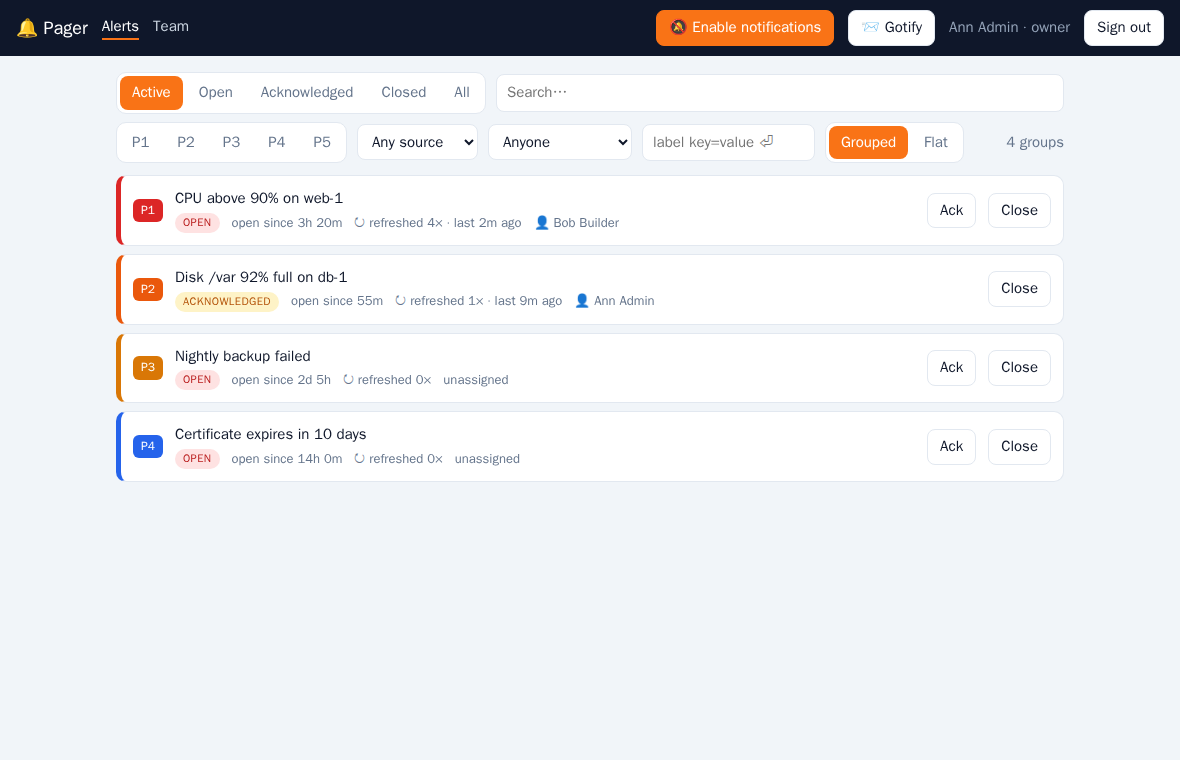
Tabs filter by Active (open and acknowledged), Open, Acknowledged, Closed and All. The search box looks into message and description. Quick buttons acknowledge or close without opening the alert.
Filters
Below the tabs you can narrow the list further. Filters combine (all must match):
- Priority: toggle P1–P5, several at once.
- Source: Prometheus or webhook.
- Assignee: anyone, assigned to me, unassigned, or one user.
- Label: type
key=valueand press Enter, e.g.alertname=HighCPUorenv=prod. Repeat for more labels; click a chip to remove it.
Grouping
Alerts are grouped automatically by alertname (for webhook alerts: by message), so 30 InstanceDown alerts are one line instead of thirty. A group shows its worst priority, how many alerts are open, acknowledged and closed, and the total number of refreshes. Click it to expand its alerts; they load 20 at a time (Show more). A group with a single alert is shown as that alert. Groups are sorted by worst priority, then by open alerts. All filters apply to the groups too. Switch to Flat for the plain list.
The filters are kept in the page URL, so you can go into an alert and back, or share the filtered view. The list loads 50 alerts at a time and loads more as you scroll; the header shows the total count.
Statuses
| Status | Meaning |
|---|---|
| open | Firing, nobody has taken it |
| acknowledged | Someone is on it. Acknowledging an unassigned alert assigns it to you |
| closed | Resolved by the source or closed by a user |
If the same alert fires again after it was closed, a new alert is created.
Detail view
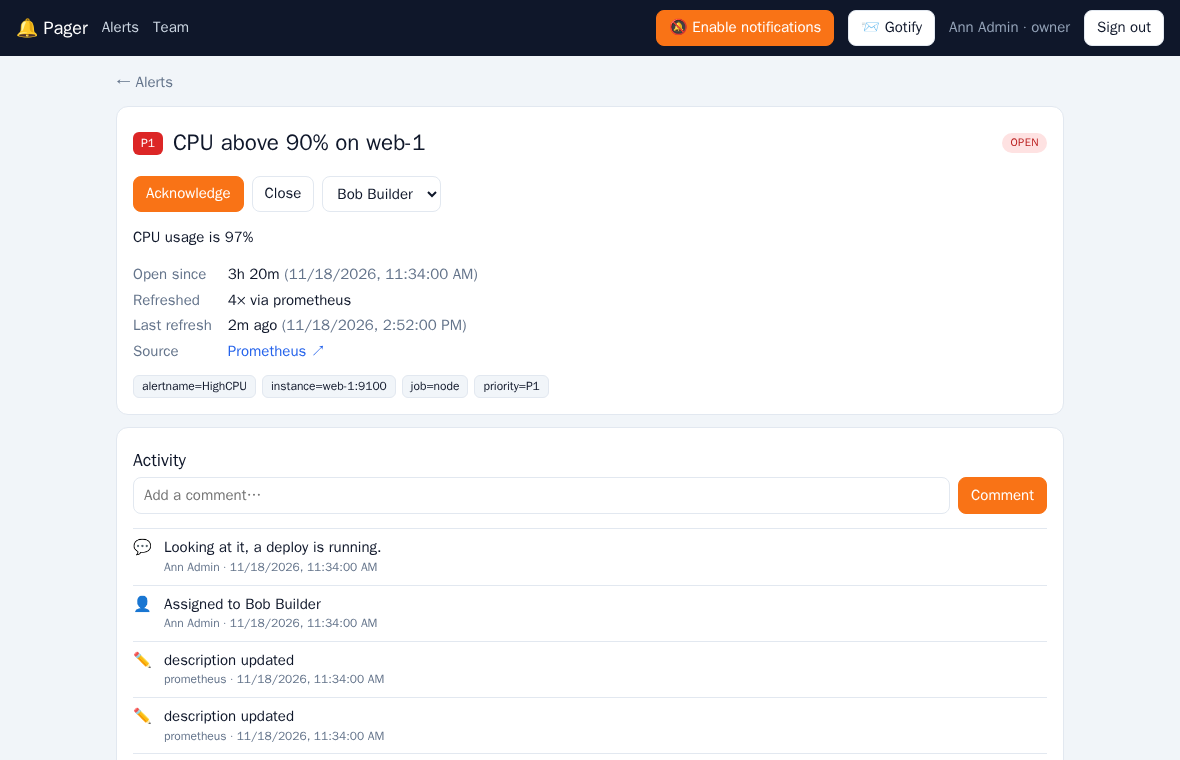
The detail view shows the description, the labels, when the alert was first seen, how often it was refreshed, the last refresh and a link back to Prometheus. Use the dropdown to assign it to a user; that user gets a push notification. Everything that happens is written to the activity log: creation, updates sent by Prometheus, comments, assignments, acknowledge and close.
Priorities
Priorities are P1 (highest) to P5. From Alertmanager they come from the priority label, or else mapped from severity (critical → P1, error → P2, warning → P3, info → P4, none → P5); the default is P3 (see Inbound). P1 and P2 push notifications stay on screen until dismissed.